
If you’ve used an AI coding tool for a while, the more frustrating problem usually isn’t the model’s momentary coding skill. It starts strong on your requirements, but once a task runs long, it forgets conditions you set earlier or starts re-searching files it already checked.
Meta’s Muse Spark 1.3, released September 2, focuses squarely on fixing that: long-running task handling and coding efficiency. With the new Muse Code subscription tiers added on top, developers using GPT/Codex or Claude Code now have a real option worth comparing on both performance and price.
Muse Spark 1.3 is built for long tasks
The headline improvement here isn’t raw code-generation skill.
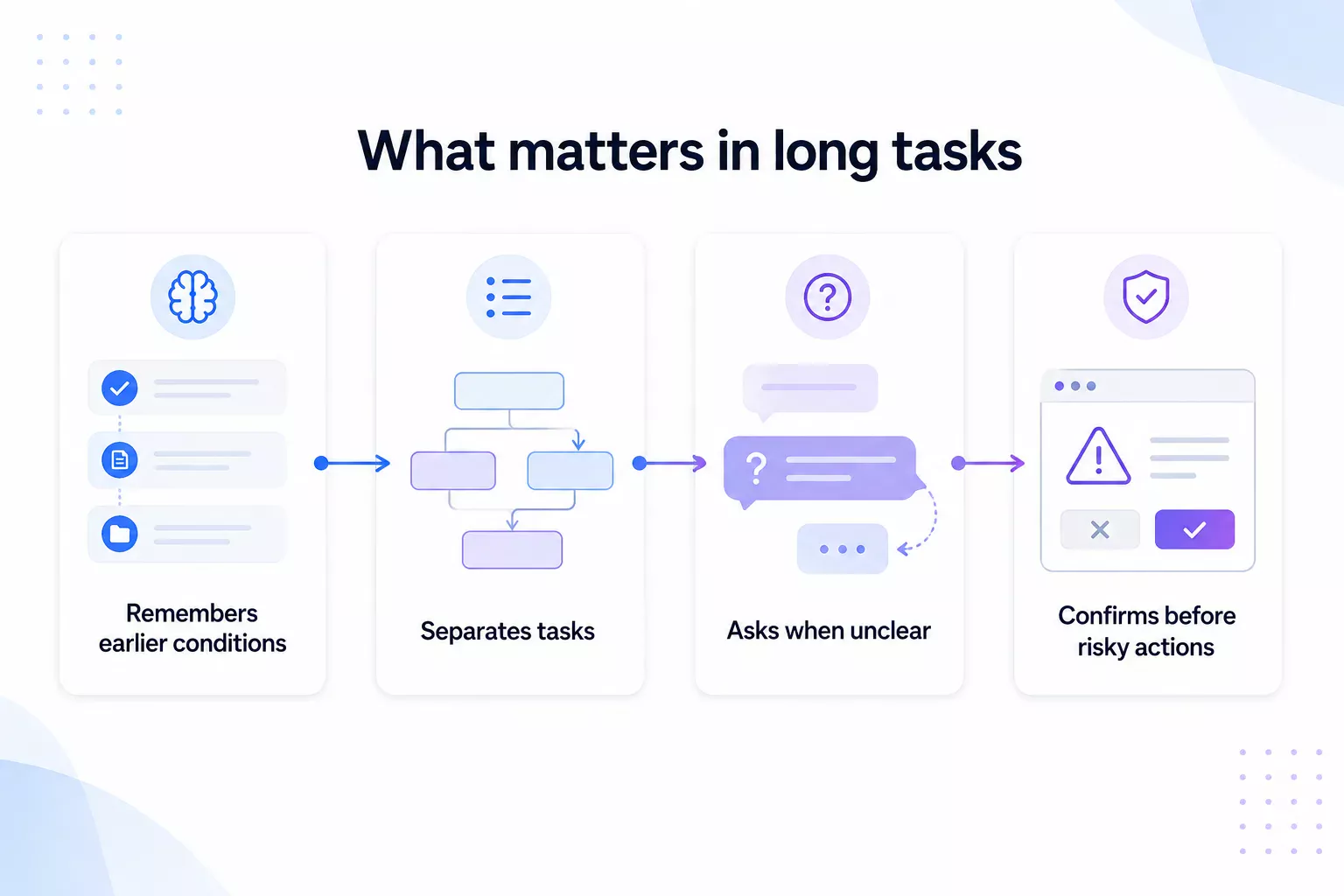
In long conversations mixing multiple tasks, it now better separates which task a new request belongs to, and asks first when instructions are ambiguous. If it judges itself stuck, it asks for help, and it confirms with the user before taking hard-to-reverse actions.
Think of a task like: analyze an entire repository, find a bug, fix it across several files, and run the tests.
For work like that, what matters most isn’t a single well-generated snippet — it’s how long the model holds onto the conditions you set earlier.
Benchmarks are strongest in long context and coding
Narrow Meta’s published comparison down to three models and the pattern becomes clearer.
Long context stands out. Muse Spark 1.3 scored 98.5 on MRCR 256K-512K and 98.1 on 512K-1M, both ahead of GPT-5.6 Sol.
It also led on DeepSWE and SWEAtlas CodeBase QnA, and matched GPT-5.6 Sol at 88.8 on Terminal-Bench.
But the agentic benchmarks are mixed. GPT scored higher on DeepSearchQA and instruction-following, while Claude Opus 5 led on JobBench, OSWorld, and AutomationBench.
So rather than “beat GPT and Claude,” the more accurate read is that Muse Spark 1.3 got significantly more competitive specifically in long-context and codebase work.
| Category | Benchmark | Muse Spark 1.3 Max | GPT-5.6 Sol Max | Claude Opus 5 Max |
|---|---|---|---|---|
| Agent | GDPVal-AA v2 | 1754 | 1710 | 1824 |
| Agent | JobBench | 64.9 | 45.4 | 65.7 |
| Agent | OSWorld 2.0 | 66.9 | 62.7 | 68.3 |
| Agent | DeepSearchQA | 89.4 | 93.0 | 90.4 |
| Agent | Agentic IF Index | 57.8 | 60.5 | 59.1 |
| Agent | AutomationBench | 49.4 | 46.7 | 50.3 |
| Long Context | MRCR 256K-512K | 98.5 | 91.5 | – |
| Long Context | MRCR 512K-1M | 98.1 | 73.8 | – |
| Coding | DeepSWE v1.1 | 75.4 | 73.0 | 74.0 |
| Coding | SWEAtlas CodeBase QnA | 59.4 | 53.5 | 52.7 |
| Coding | Terminal-Bench 2.1 | 88.8 | 88.8 | 86.7 |
Real coding work also used fewer tokens and tool calls
In agentic coding, how much the AI meanders before producing a result matters just as much as the final output.
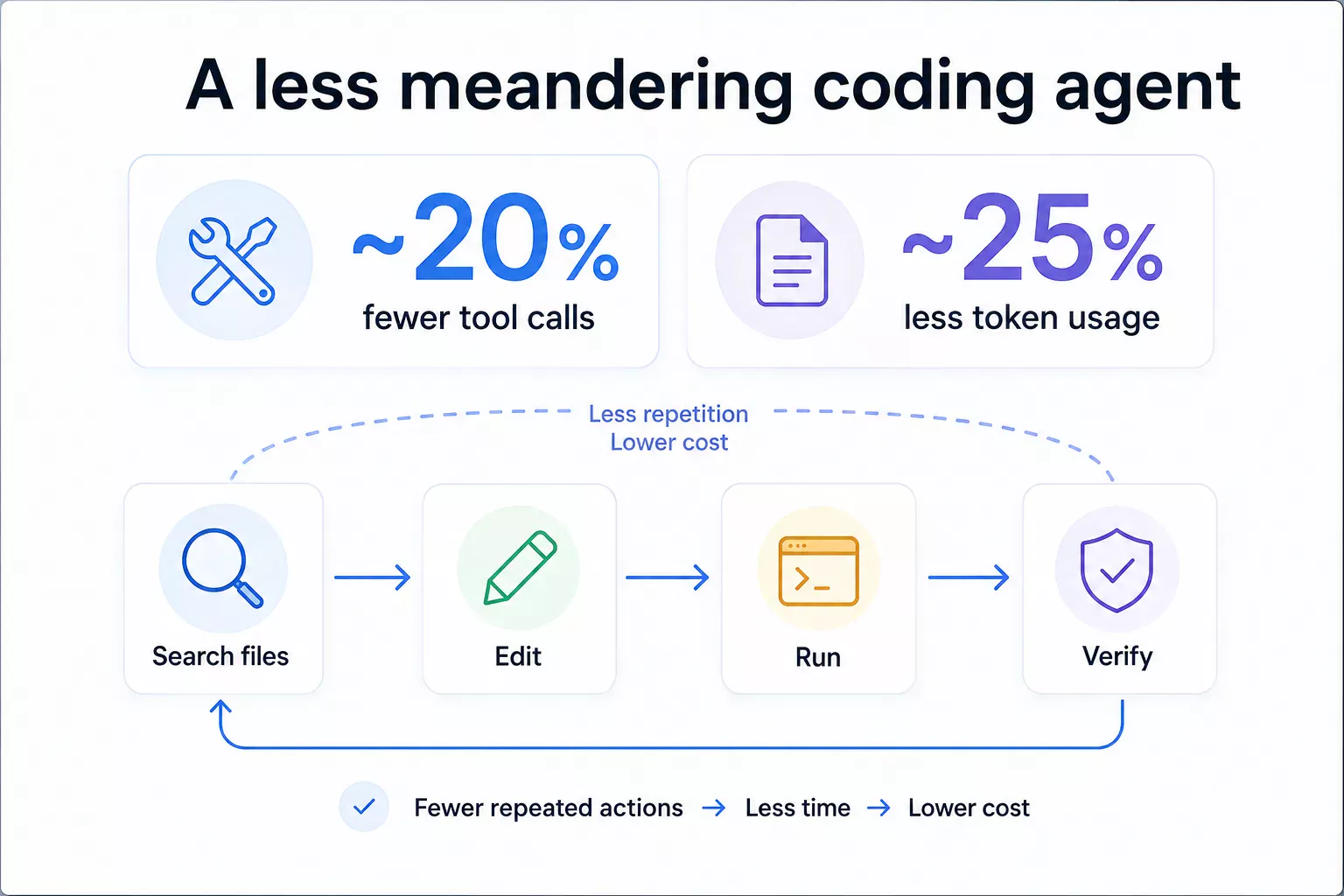
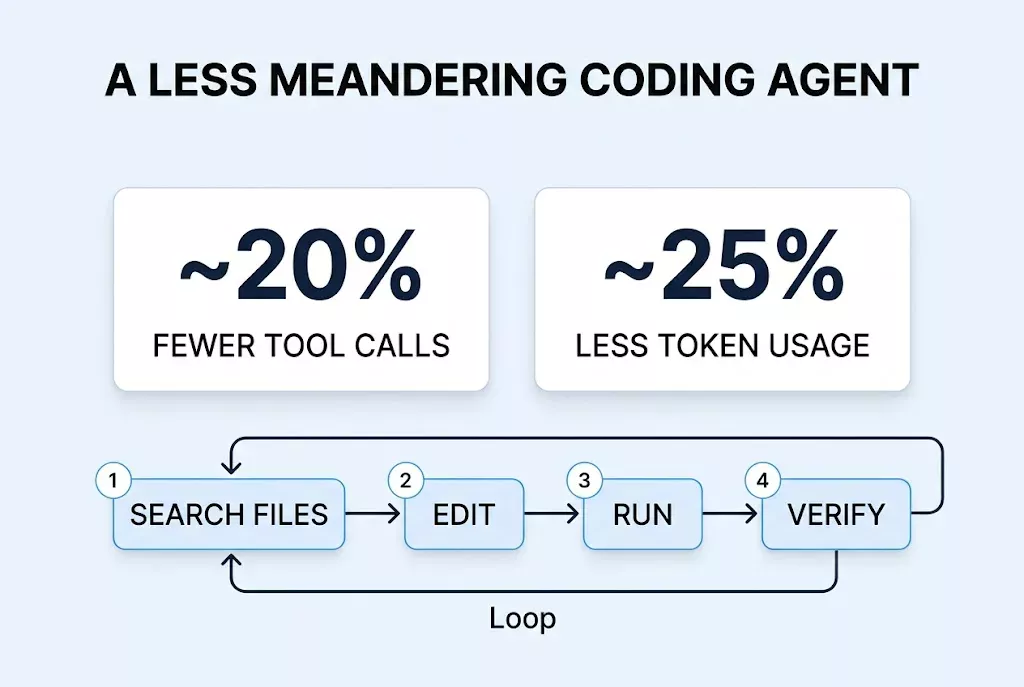
In Meta’s own engineering comparisons, Muse Spark 1.3 cut tool calls by about 20% and token usage by roughly 25% compared to the previous version. Meta also says it reduced unnecessary conversational turns and cleaned up code style.
For long coding sessions that repeat file searches and command runs, that difference shows up directly in time spent and cost.
If you’re connecting directly through the API, token usage is literally your bill — so a lower per-token price combined with fewer tokens used could compound.
Pricing needs to be split into API and monthly subscription
Muse Spark 1.3 keeps the same API pricing as the previous version: roughly $1.25 per million input tokens and $4.25 per million output tokens.
Compared token-for-token, that’s a notably aggressive price.
But individual developers likely care more about the monthly subscription than raw API rates, since Codex comes bundled with a ChatGPT subscription and Claude Code is available on paid Claude plans too.
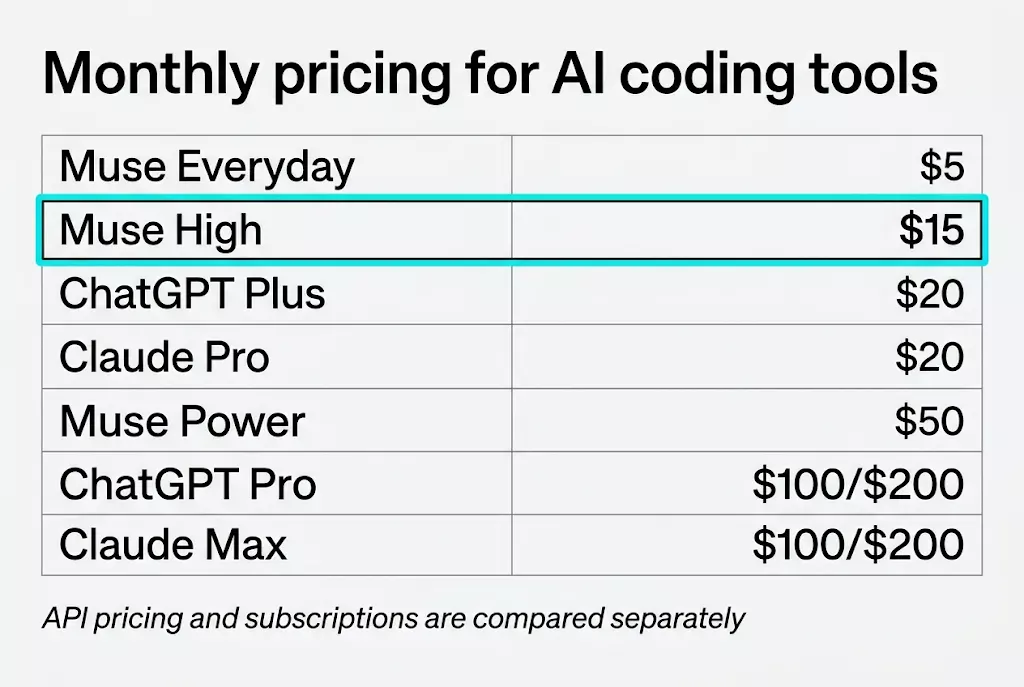
Muse Code’s Everyday tier is $5/month, but it’s explicitly listed as running Spark 1.2. The High tier, at $15/month, is the one that includes access to the latest model — so if your goal is specifically Muse Spark 1.3, the realistic comparison point is the $15 plan, not $5.
That puts it slightly below ChatGPT Plus and Claude Pro’s $20/month. As usage grows, the price gap widens further between Muse Power at $50 and the competing $100-$200 tiers.
| Model | Input (per 1M tokens) | Output (per 1M tokens) |
|---|---|---|
| Muse Spark 1.3 | $1.25 | $4.25 |
| GPT-5.6 Sol | $4.00 | $20.00 |
| Claude Opus 5 | $5.00 | $25.00 |
| Service | Monthly price | Notes |
|---|---|---|
| Muse Code Everyday | $5 | Spark 1.2, roughly 10-50 uses per 5-hour window |
| Muse Code High | $15 | 3x Everyday’s usage, latest model access |
| ChatGPT Plus | $20 | Includes Codex |
| Claude Pro | $20 | Includes Claude Code |
| Muse Code Power | $50 | 10x Everyday’s usage |
| ChatGPT Pro | $100 / $200 | 5x / 20x Plus usage |
| Claude Max | $100 / $200 | 5x / 20x Pro usage |
How does Muse Spark 1.3 fit into a VS Code workflow?
If you’re using Claude Code or Codex inside VS Code, this part matters too.
Right now, Muse Code is closer to a terminal-first coding agent than an official VS Code extension. Meta’s officially documented environments are macOS and Linux, and the install command is:
curl -fsSL https://dev.meta.ai/install.sh | bashThat doesn’t mean you need to close VS Code, though.
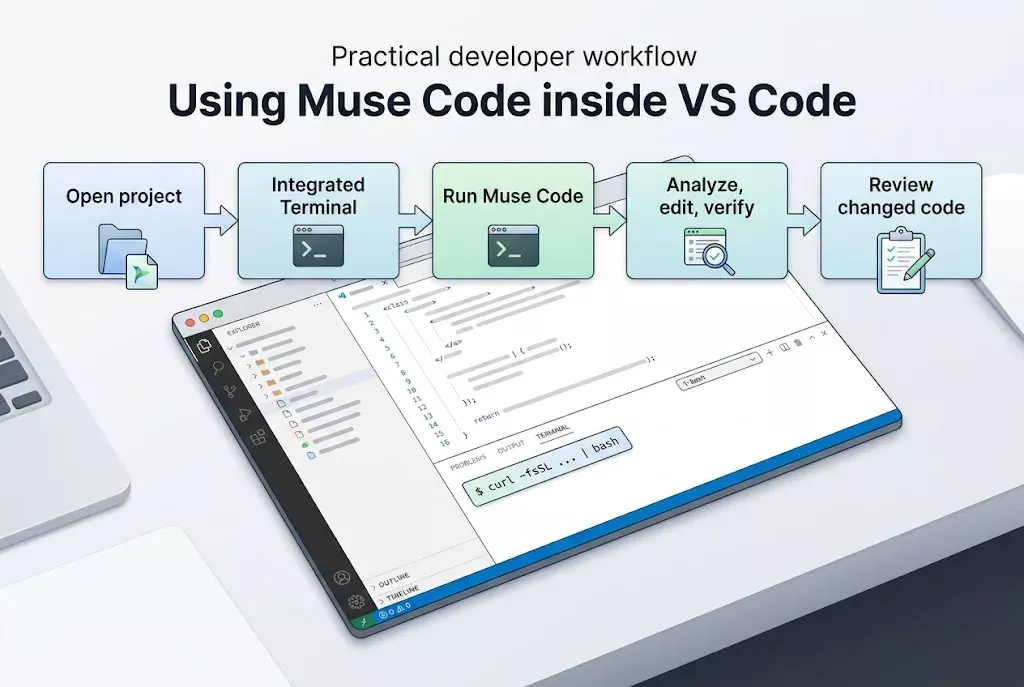
Open the project folder you’re working on in VS Code, run Terminal → New Terminal, and run Muse Code from that terminal.
The workflow looks roughly like this:
Open project in VS Code
        ↓
Open Integrated Terminal
        ↓
Run Muse Code
        ↓
"Find and fix the login error in this project"
        ↓
Muse analyzes files → edits → runs commands → verifies
        ↓
Review the changed code in VS Code
In other words, it’s the same idea as Claude Code: hand off the whole project from a terminal inside VS Code.
No official Meta VS Code extension is confirmed at this point, so it’s safer to use the official Muse Code CLI rather than a third-party extension.
Native Windows support also isn’t clearly confirmed in the official install docs, so Windows users should check supported environments first.
Is it worth switching from GPT or Claude?
Based on current results, it’s not yet the moment to cancel an existing subscription outright.
ChatGPT Plus gives you Codex plus the rest of ChatGPT’s features, and Claude Pro gives you Claude Code plus Claude’s other features. Comparing Muse Code purely on monthly price isn’t quite an apples-to-apples comparison.
On the other hand, if a coding agent is your primary use case, Muse Code is genuinely interesting.
If you regularly read large repositories, edit multiple files, or hand off long-running tasks, Muse Spark 1.3’s benchmark strengths line up well with that kind of work.
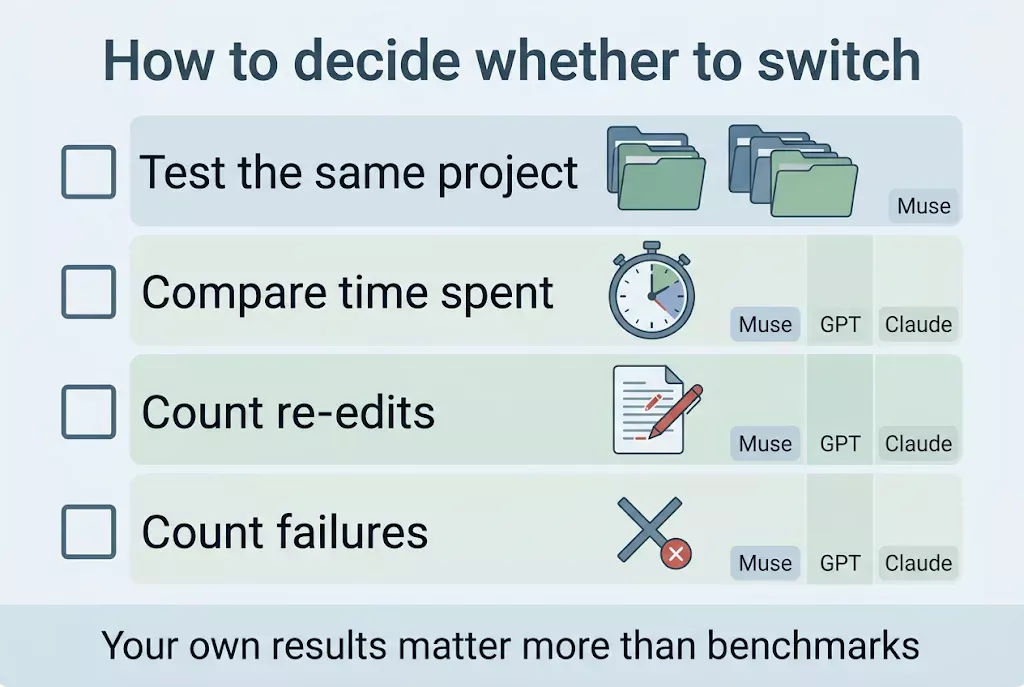
The most accurate comparison is giving the same requirements to the same project across tools, and measuring quality alongside time spent, re-edits, and failure count.
Ultimately, Muse Spark 1.3’s real competitiveness isn’t decided by benchmark rankings alone.
How consistently it can match GPT and Claude’s quality at $15-50 a month is likely the more important criterion for working developers.
Before you read further
AI model performance, pricing, and usage terms can change as providers update their policies. Check each service’s official pricing page and supported environments before making a decision.
Frequently Asked Questions
Is Muse Spark 1.3 better at coding than GPT-5.6 Sol?
In some tests, yes. Muse Spark 1.3 scored higher on DeepSWE, codebase understanding, and long-context benchmarks, but it doesn’t lead every agentic benchmark.
Can I use Muse Spark 1.3 on the $5 monthly plan?
Not really if 1.3 is the point. The $5 Everyday plan is listed with Spark 1.2; the $15 High plan is where access to the latest model starts.
Is there a Muse Code extension for VS Code?
No official Meta VS Code extension has been confirmed yet. Instead, you run the official Muse Code CLI inside VS Code’s Integrated Terminal to work on your project.
Can Claude Code be used directly inside VS Code?
Yes. Claude Code works within VS Code-family editors, so it fits into an editor-based workflow.
Is Codex included in ChatGPT Plus?
Yes. Codex is currently included in ChatGPT’s paid plans, so it can be used within the allotted usage without a separate API cost.